If you have an active Radical Bundle 4 Rent-to-Own plan, you can upgrade to Radical Bundle 5 by extending your existing plan by three monthly payments.
Your monthly payment stays the same, and your progress toward ownership is saved. You'll get access to Radical Bundle 5 right away and own it once you complete your plan. Here's how:
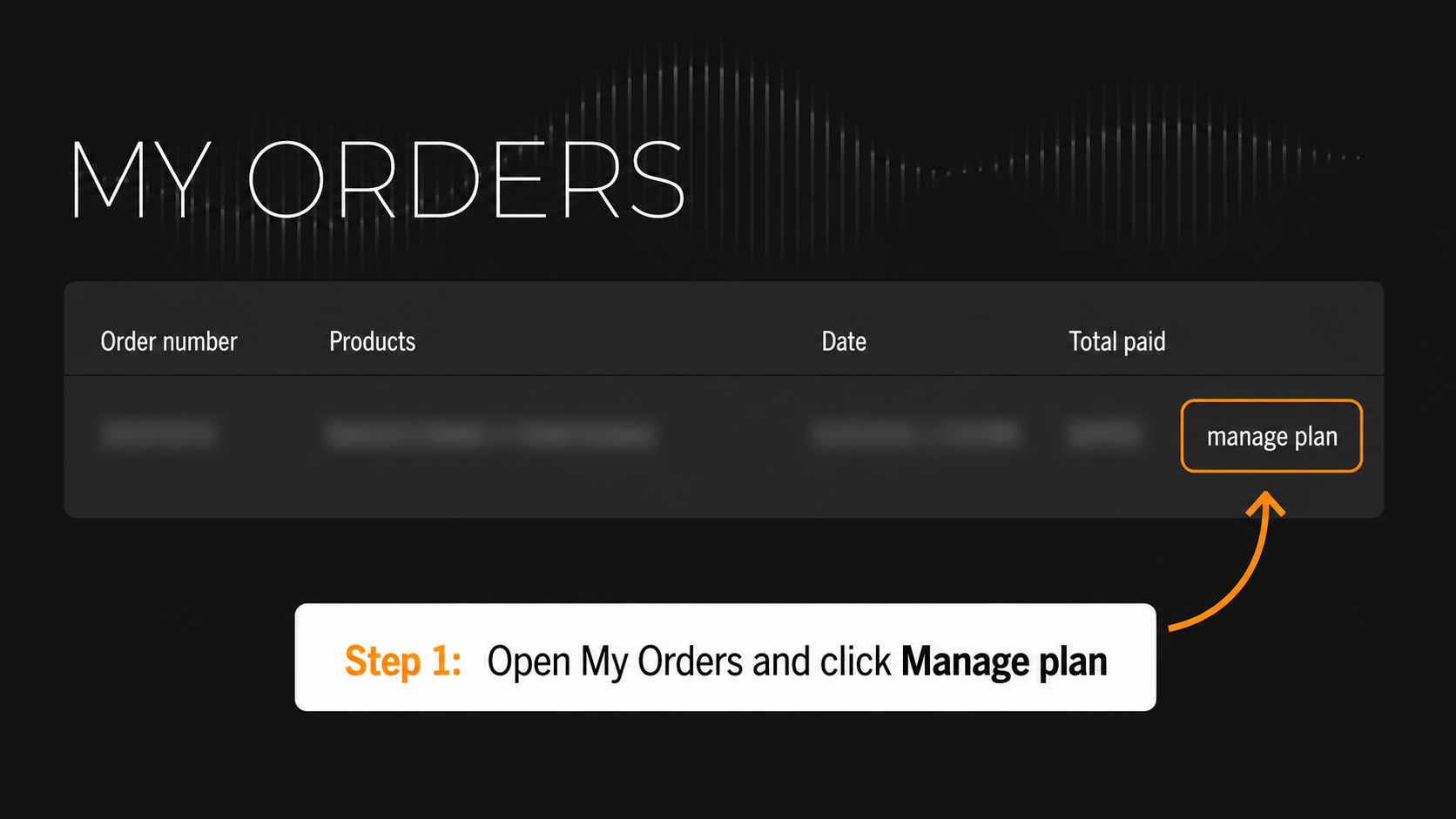
1. Open My Orders
Log in to your Sound Radix account, open My Orders, find your Radical Bundle 4 Rent-to-Own order and click manage plan.
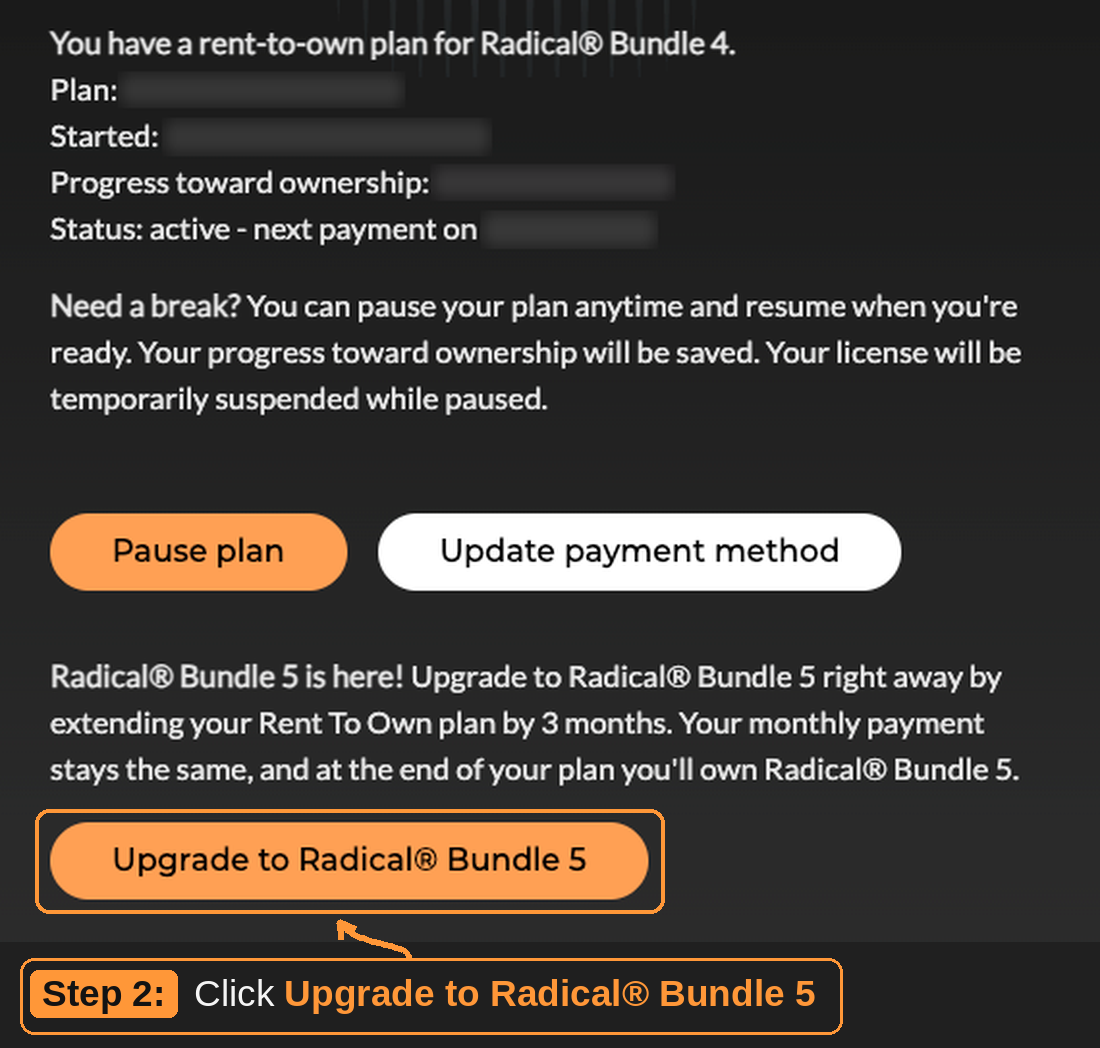
2. Select the upgrade
On the Manage Plan page, click Upgrade to Radical® Bundle 5.
3. Confirm the upgrade
Review the updated duration of your plan and click Confirm upgrade.
If you don't want to proceed with the upgrade, click Cancel.
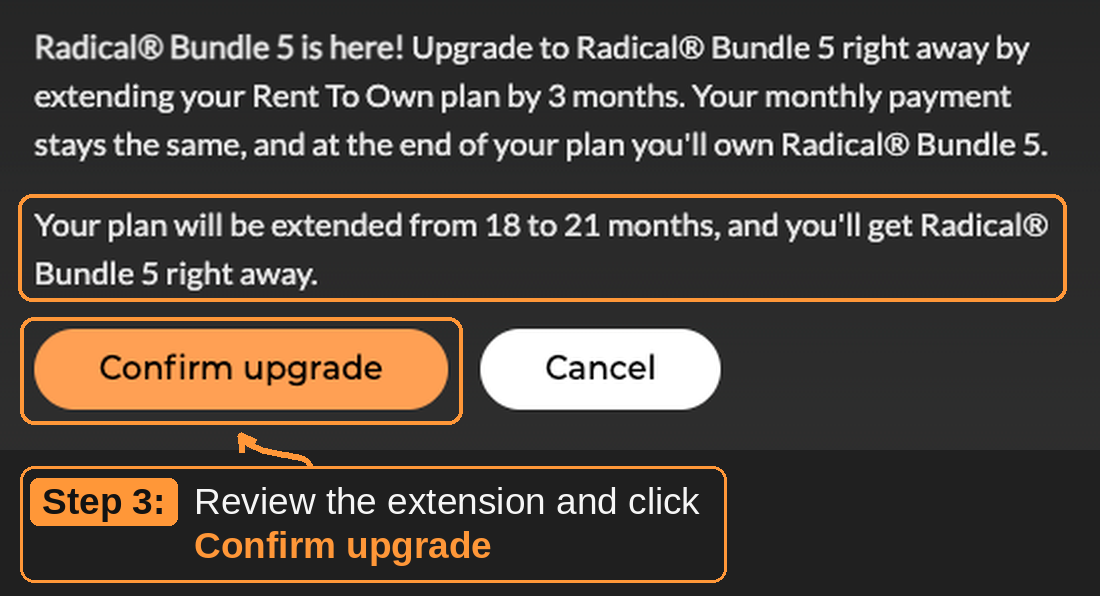
The example shows a plan extended from 18 to 21 months. Your plan duration may differ.
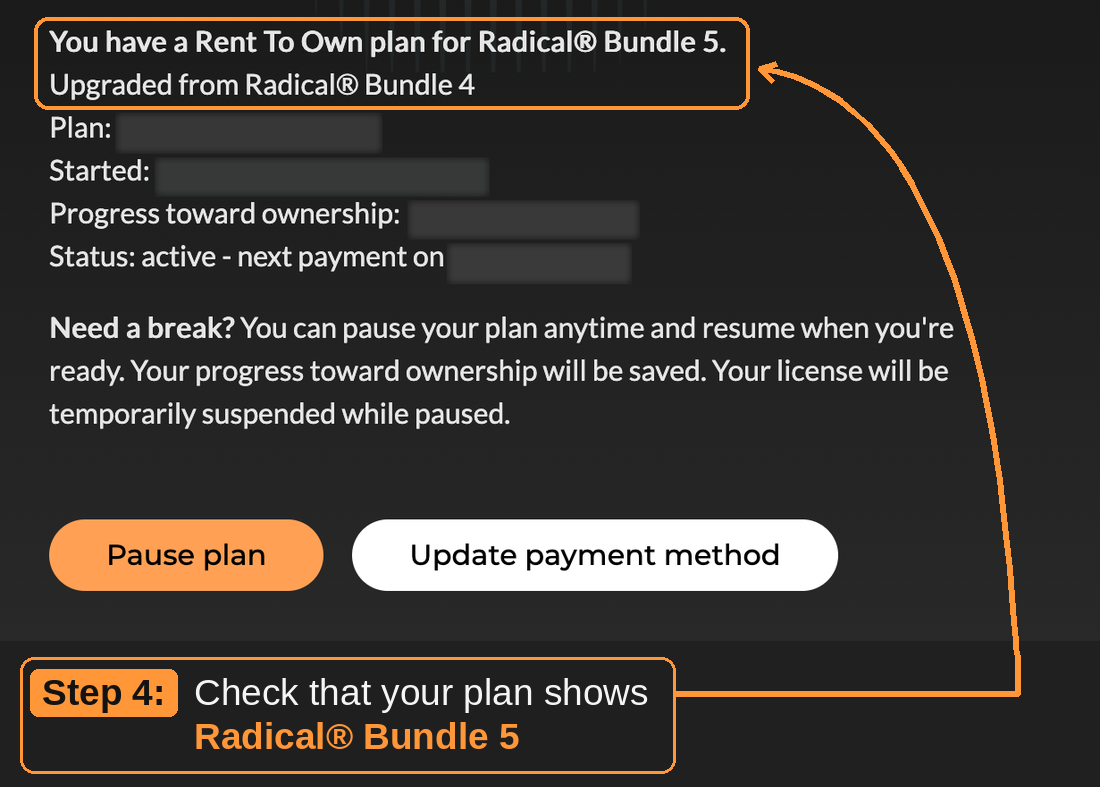
4. Verify your upgraded plan
Your Manage Plan page will now show Radical Bundle 5 and indicate that your plan was upgraded from Radical Bundle 4.
Don't see the upgrade option?
Make sure your Radical Bundle 4 Rent-to-Own plan is active and your payments are up to date.
If your plan is paused, resume it first. See How to manage your Rent-to-Own plan.
Need help?
Visit the Sound Radix Support Center: https://support.soundradix.com/support/solutions
or contact us at support@soundradix.com.
Was this article helpful?
That’s Great!
Thank you for your feedback
Sorry! We couldn't be helpful
Thank you for your feedback
Feedback sent
We appreciate your effort and will try to fix the article