Use your Sound Radix account to pause or resume your plan.
My Orders
https://www.soundradix.com/account/orders/
The price, payment schedule and progress shown in your account are specific to your Rent-to-Own plan.
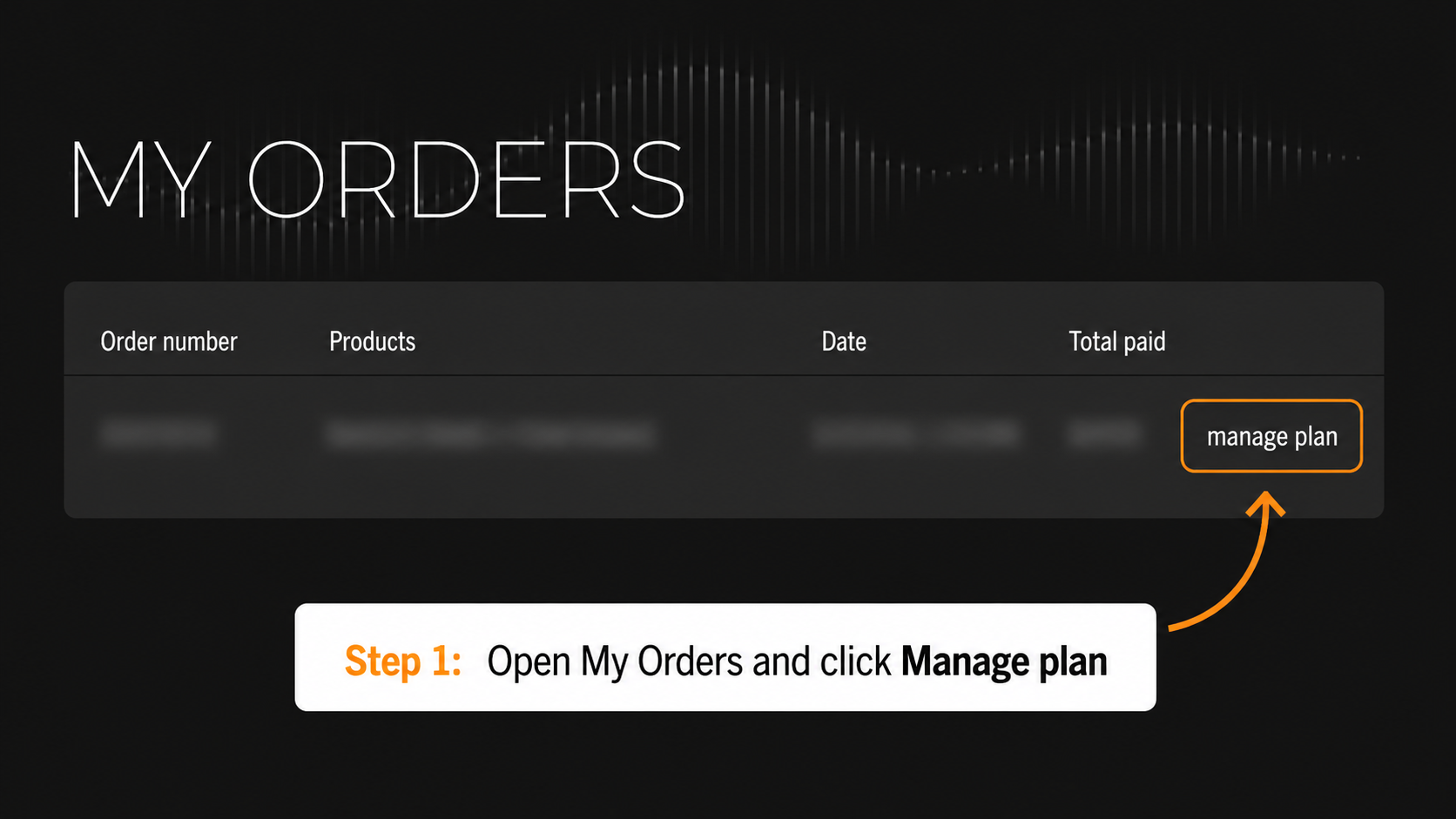
1. Open My Orders
Log in to your Sound Radix account, open My Orders, find the relevant Rent-to-Own order and click manage plan.
2. Pause an active plan
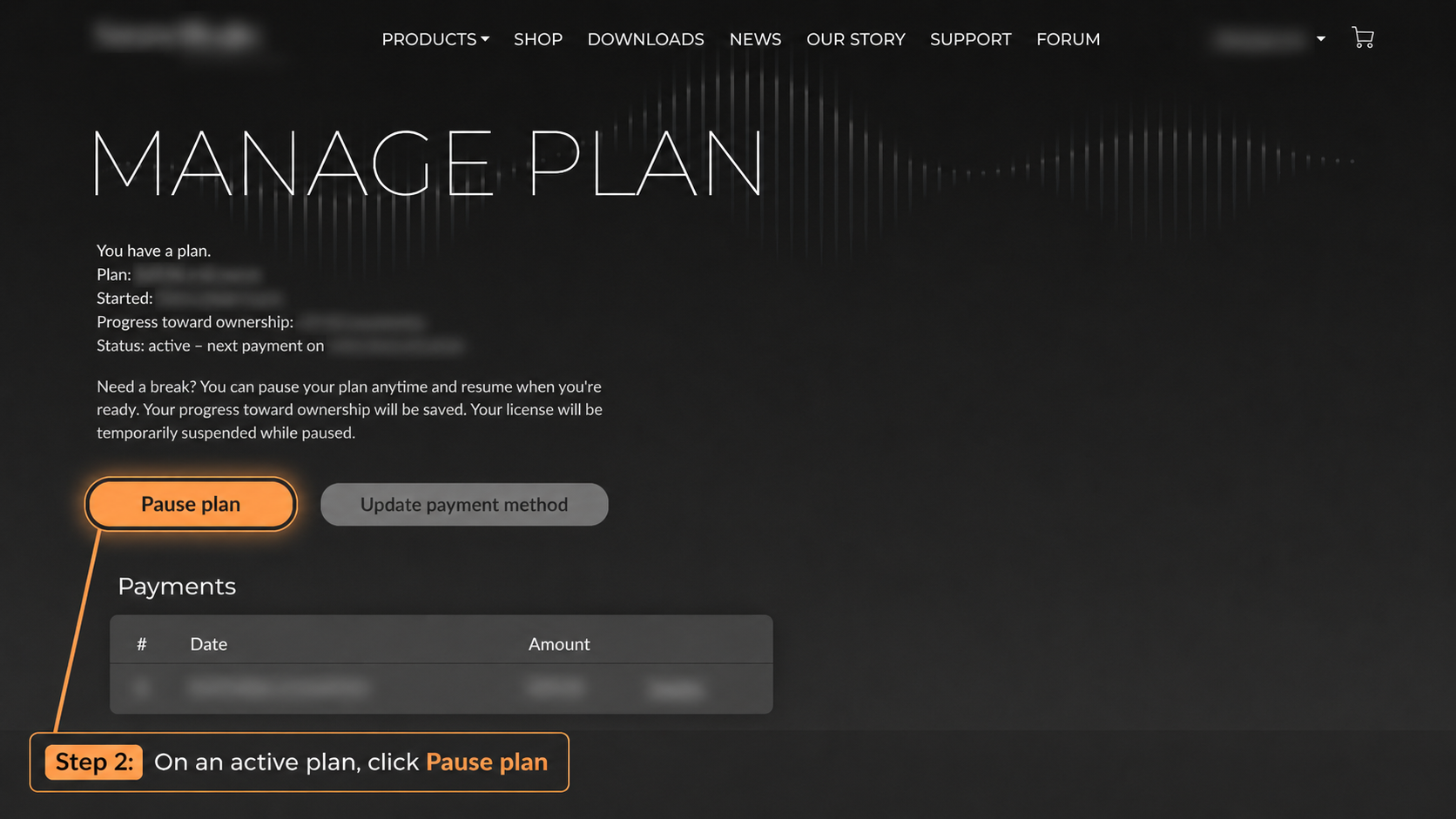
On the Manage Plan page for an active plan, you can pause it by clicking Pause plan.
Pausing stops future scheduled payments while the plan is paused. Your progress toward ownership is saved, and the Rent-to-Own license is temporarily suspended while paused.
3. Resume a paused plan
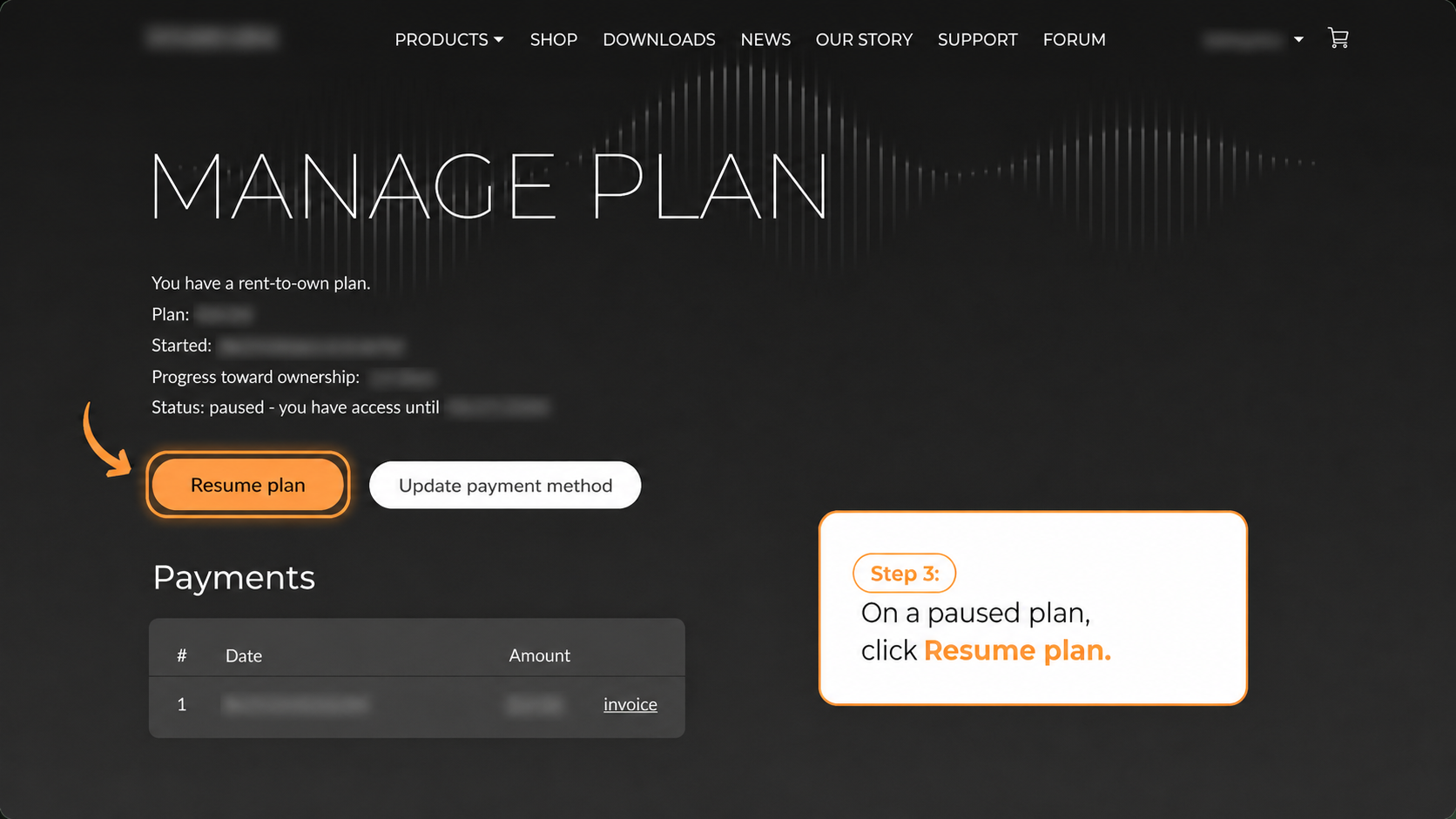
Open the paused Rent-to-Own order from My Orders and click Resume plan.
Other controls on the Manage Plan page
Update payment method is available on both the active and paused plan pages.
The Payments section shows your payment history and provides an invoice link for each payment.
Need help?
Visit the Sound Radix Support Center: https://support.soundradix.com/support/solutions
Or contact us at support@soundradix.com.
Was this article helpful?
That’s Great!
Thank you for your feedback
Sorry! We couldn't be helpful
Thank you for your feedback
Feedback sent
We appreciate your effort and will try to fix the article