The Muteømatic Studio Network uses a server component to coordinate your session.
As with any network-based app, it requires inbound and outbound network traffic to be allowed and not blocked.
Muteømatic's default port is 59803.
Windows Defender Firewall
If you did not see or accidentally dismissed the Windows security prompt on first launch, allow MuteØmatic manually:
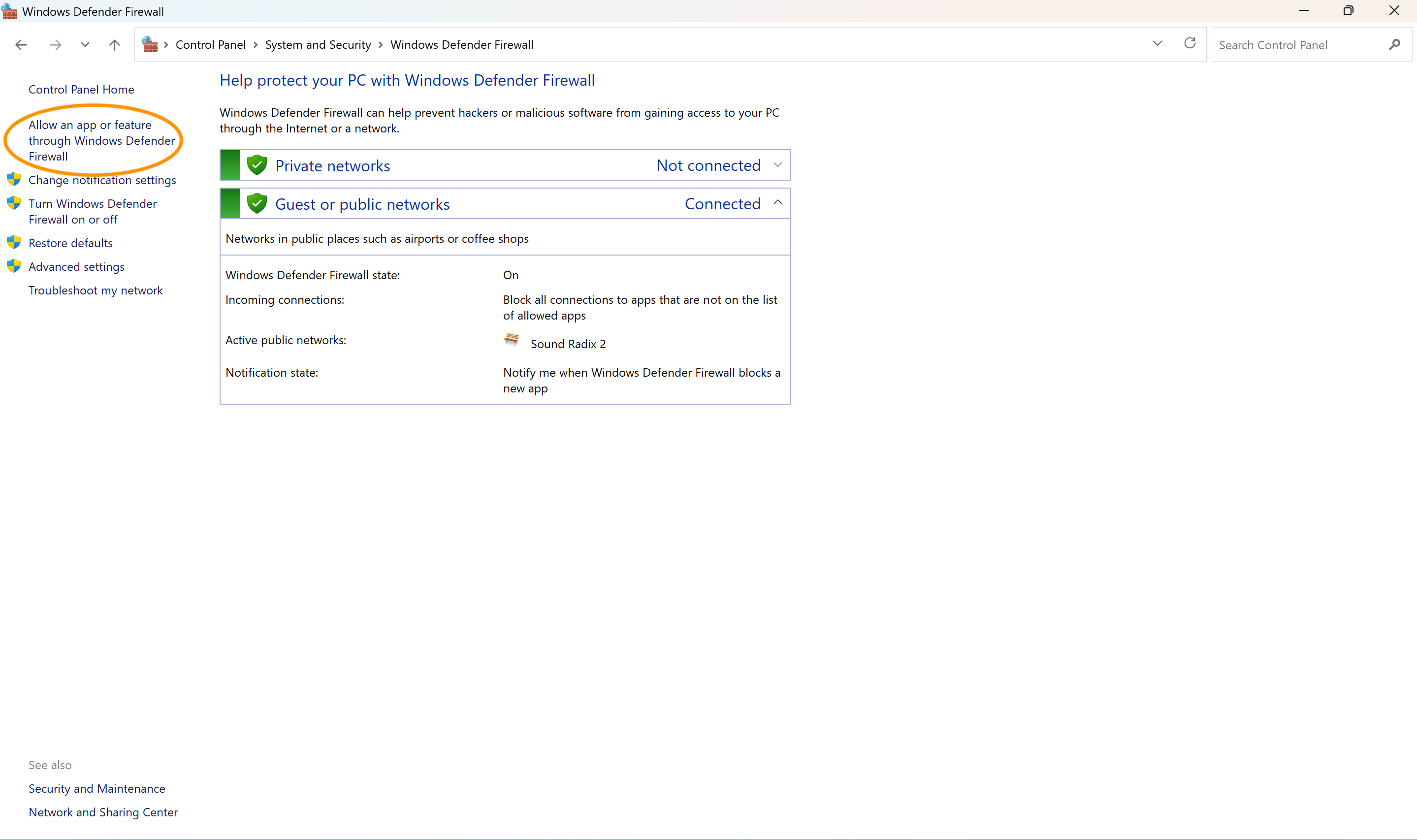
Open the Start Menu, search for Windows Defender Firewall, and select it.
In the left sidebar, click "Allow an app or feature through Windows Defender Firewall".
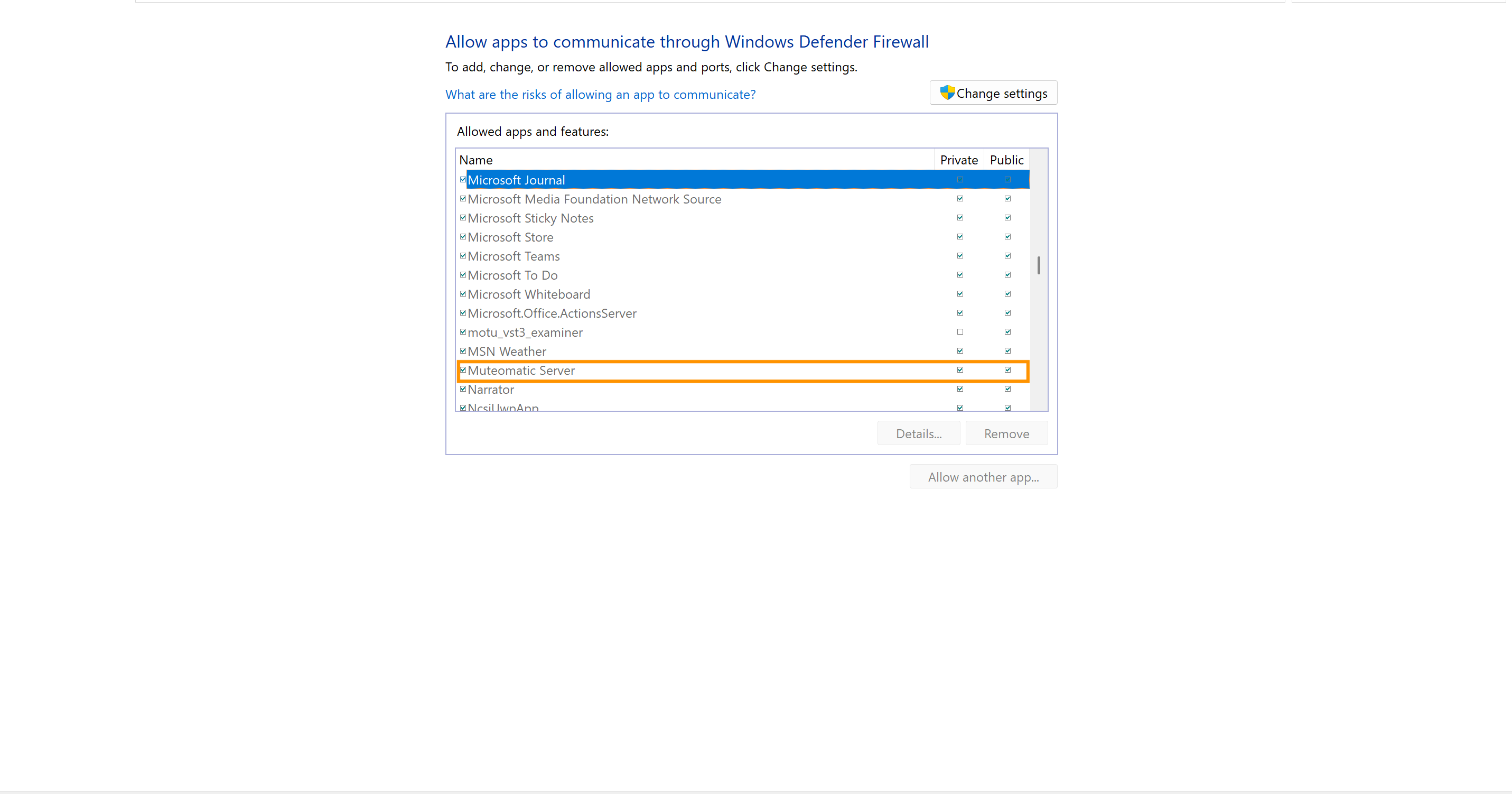
Click Change settings (administrator privileges required).
Locate Muteømatic Server in the list and ensure both Private and Public checkboxes are ticked.
Click OK to apply.
 macOS Firewall
macOS often blocks incoming connections to background audio services or helper tools silently.
Open System Settings (or System Preferences on older macOS versions).
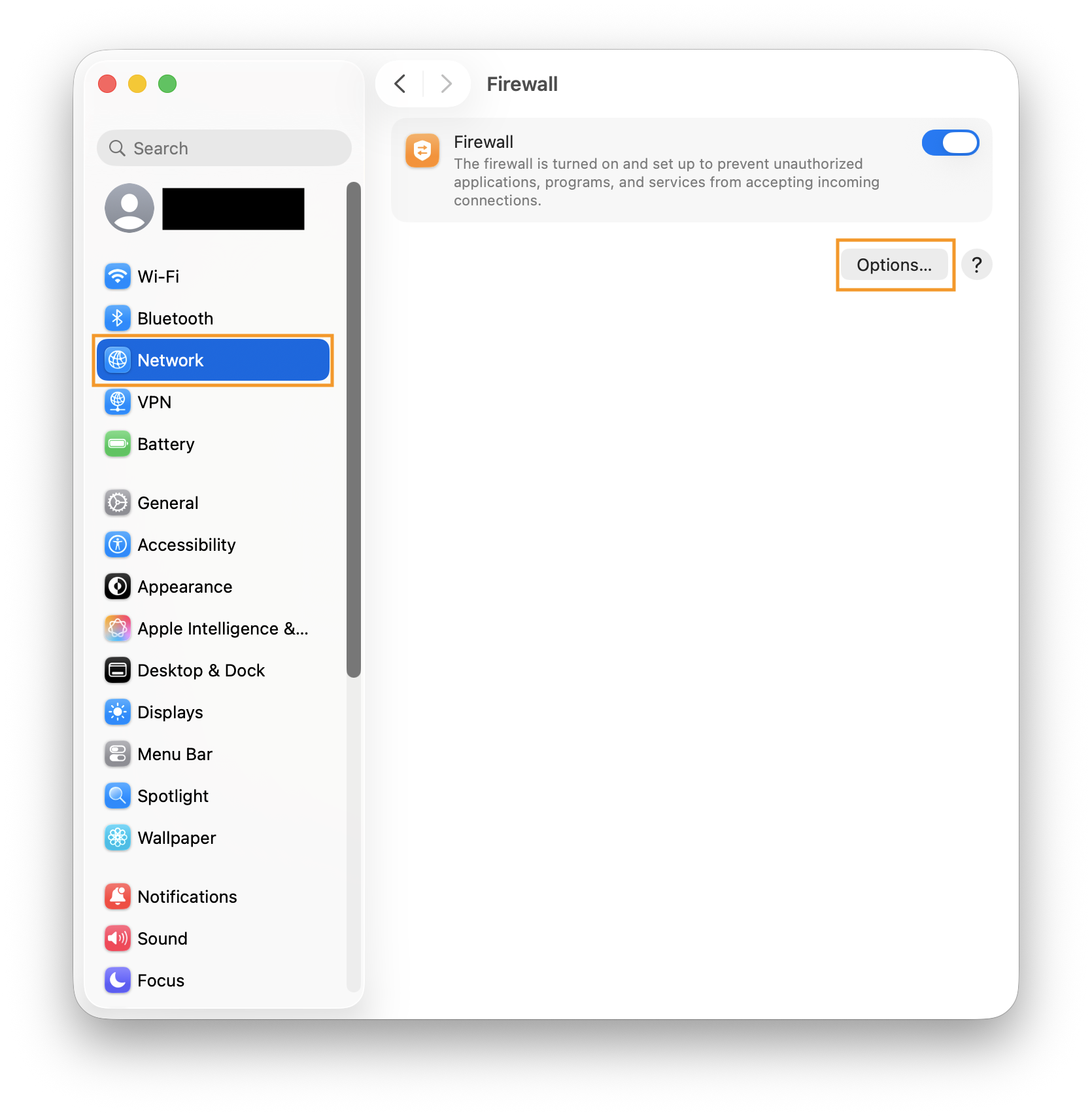
Navigate to Network > Firewall.
If the firewall is turned on, click Options... (or Firewall Options...).
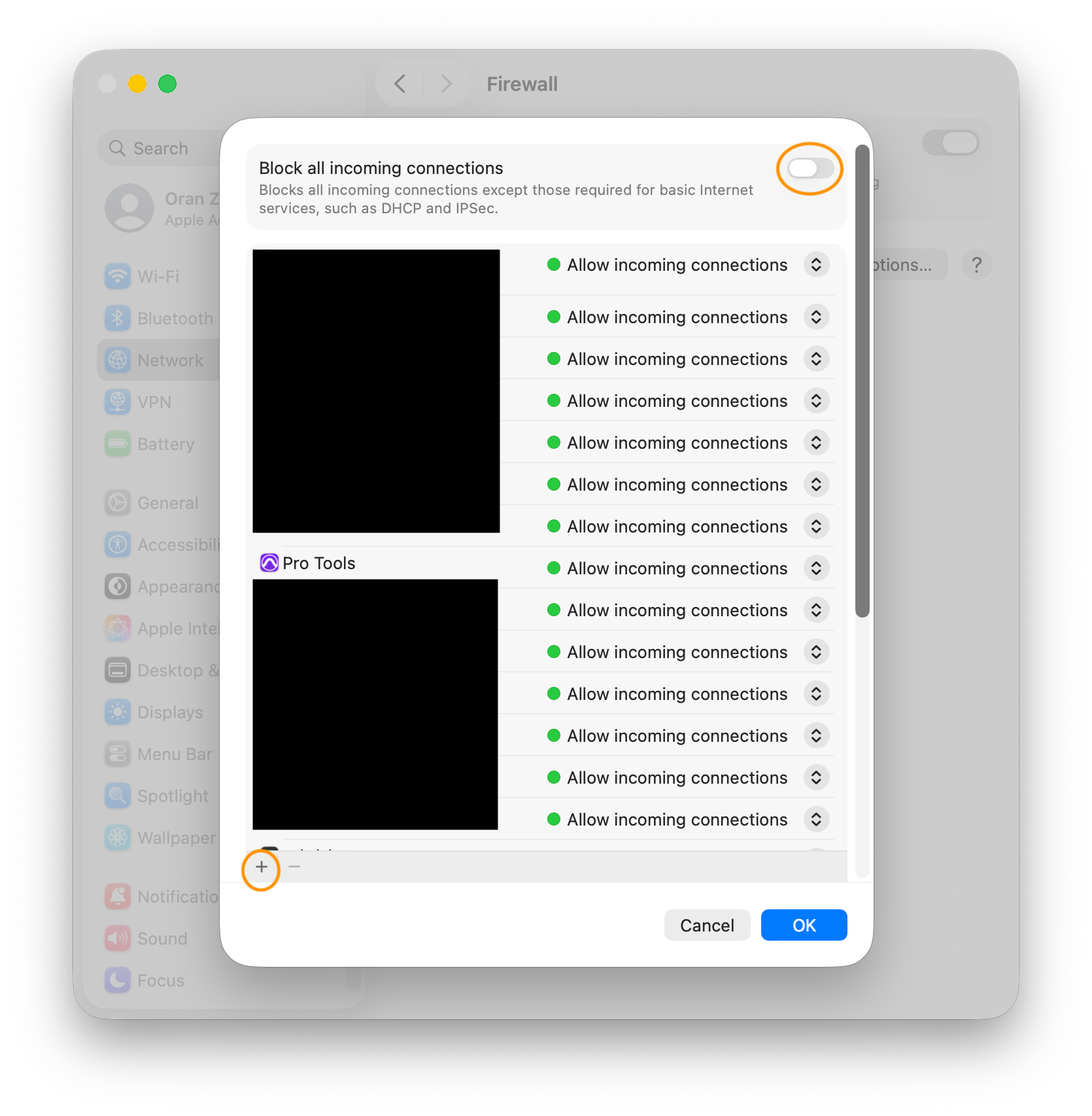
Ensure "Block all incoming connections" is toggled off.
Click the
+(Add) button, navigate to/Applications, and add your DAW.Make sure its permissions are set to "Allow incoming connections".
 Third-Party Firewalls & Antivirus
Security suites (such as Little Snitch, LuLu, Norton, Bitdefender, or McAfee) often block new local network traffic by default.
Rule Configuration: Create an exception/allow rule for incoming and outgoing local traffic on port
59803.Network Profile: Ensure your active connection profile is set to Home / Private / Trusted rather than Public.
Testing: Temporarily pause or disable the third-party firewall for 60 seconds to confirm if it is the root cause of the connection failure.
Was this article helpful?
That’s Great!
Thank you for your feedback
Sorry! We couldn't be helpful
Thank you for your feedback
Feedback sent
We appreciate your effort and will try to fix the article