To activate a full 14-day trial, you'll need a free iLok account and the iLok License Manager application. If you haven't already, point your browser to https://www.ilok.com/#!registration to create an account and download the application. No iLok device required.
Important! Please make sure to fully complete the activation of your iLok account and installation of the iLok License Manager before moving on to the next step.
Run the plug-in installer you've downloaded from the Downloads page, and when it's done, launch your DAW.
At launch, the following window will appear and will prompt for an authorization: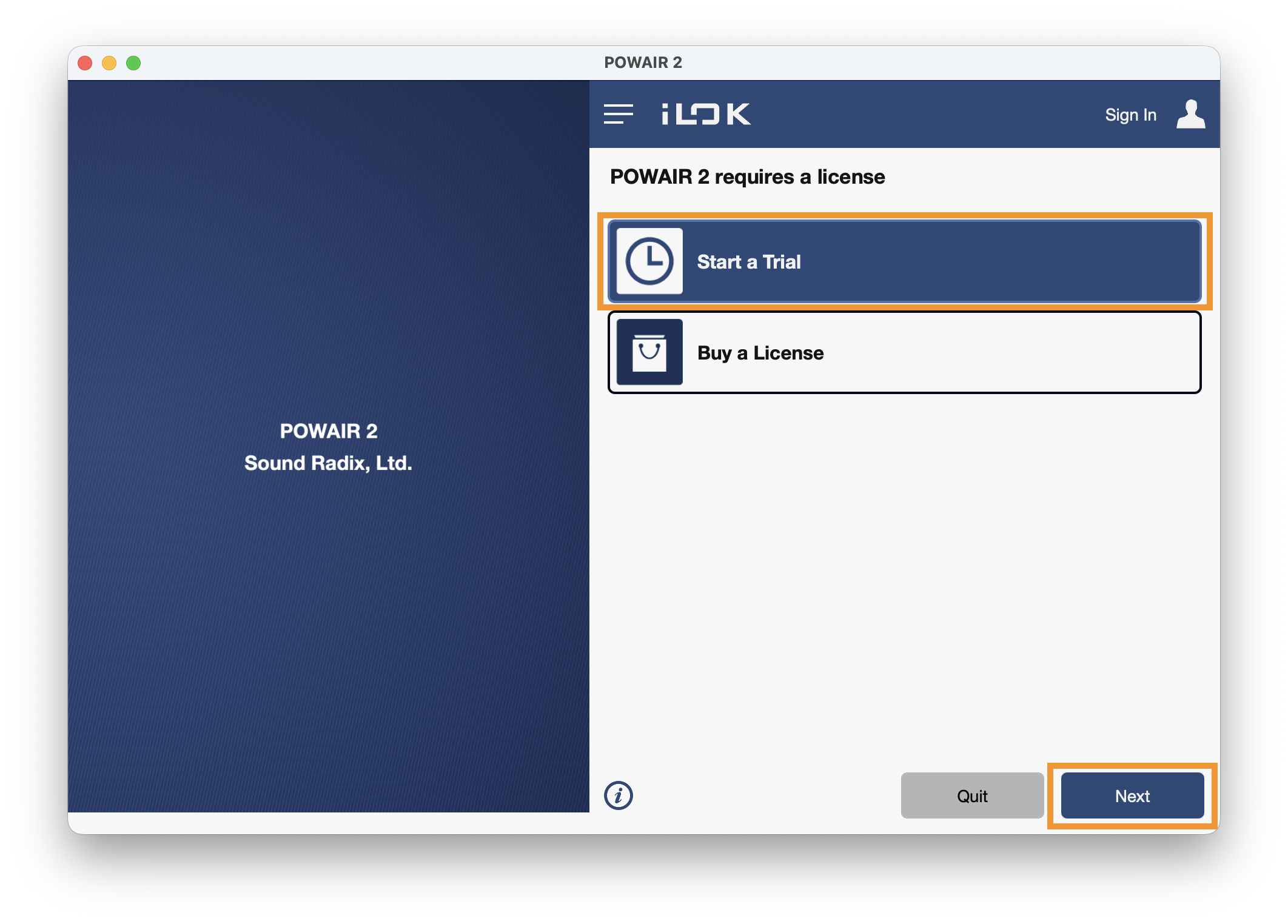
Select 'Start a Trial' and then 'Next'.
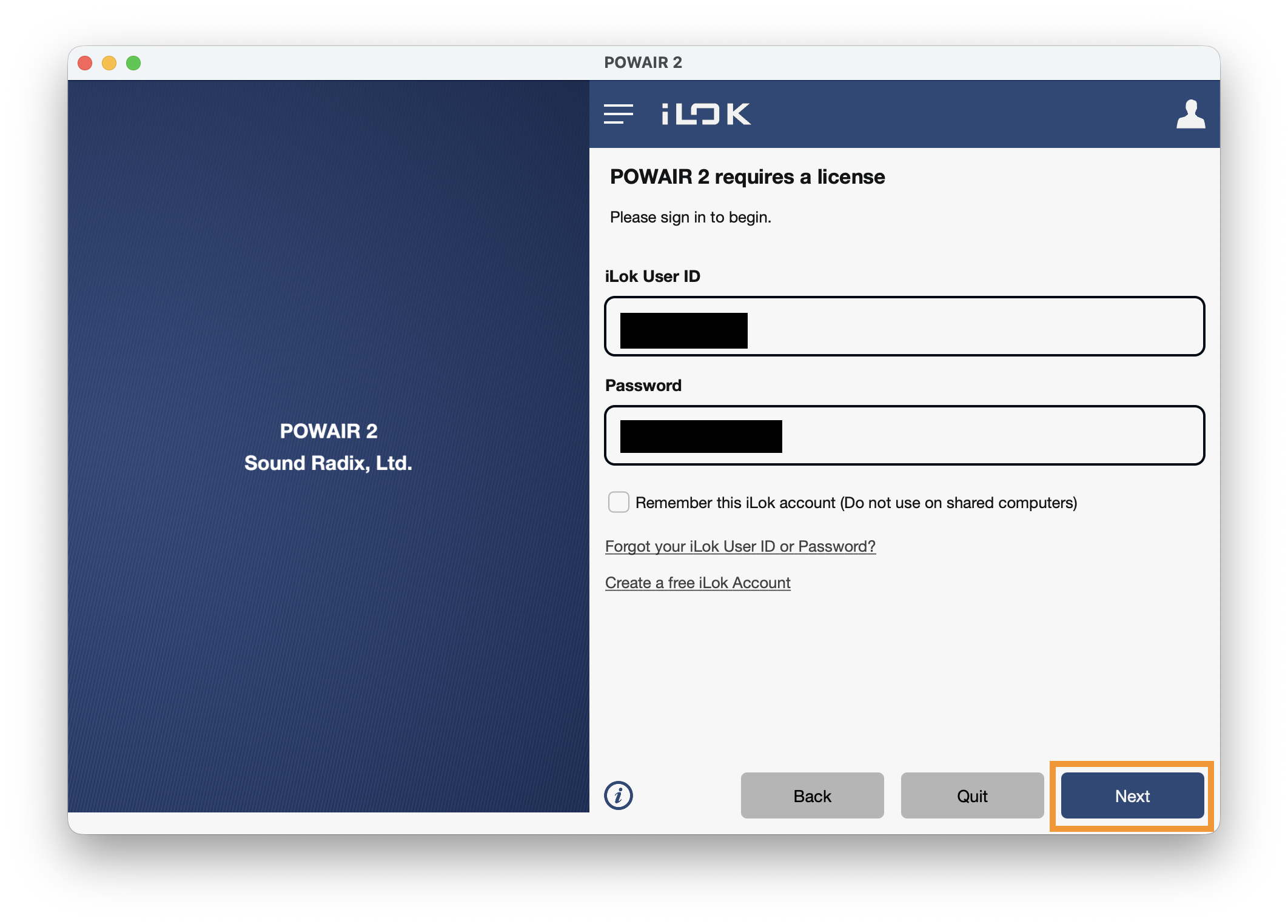
Enter your iLok account's User ID and Password, then 'Next'.
Select the activation location (your machine or connected iLok device) and click 'Next'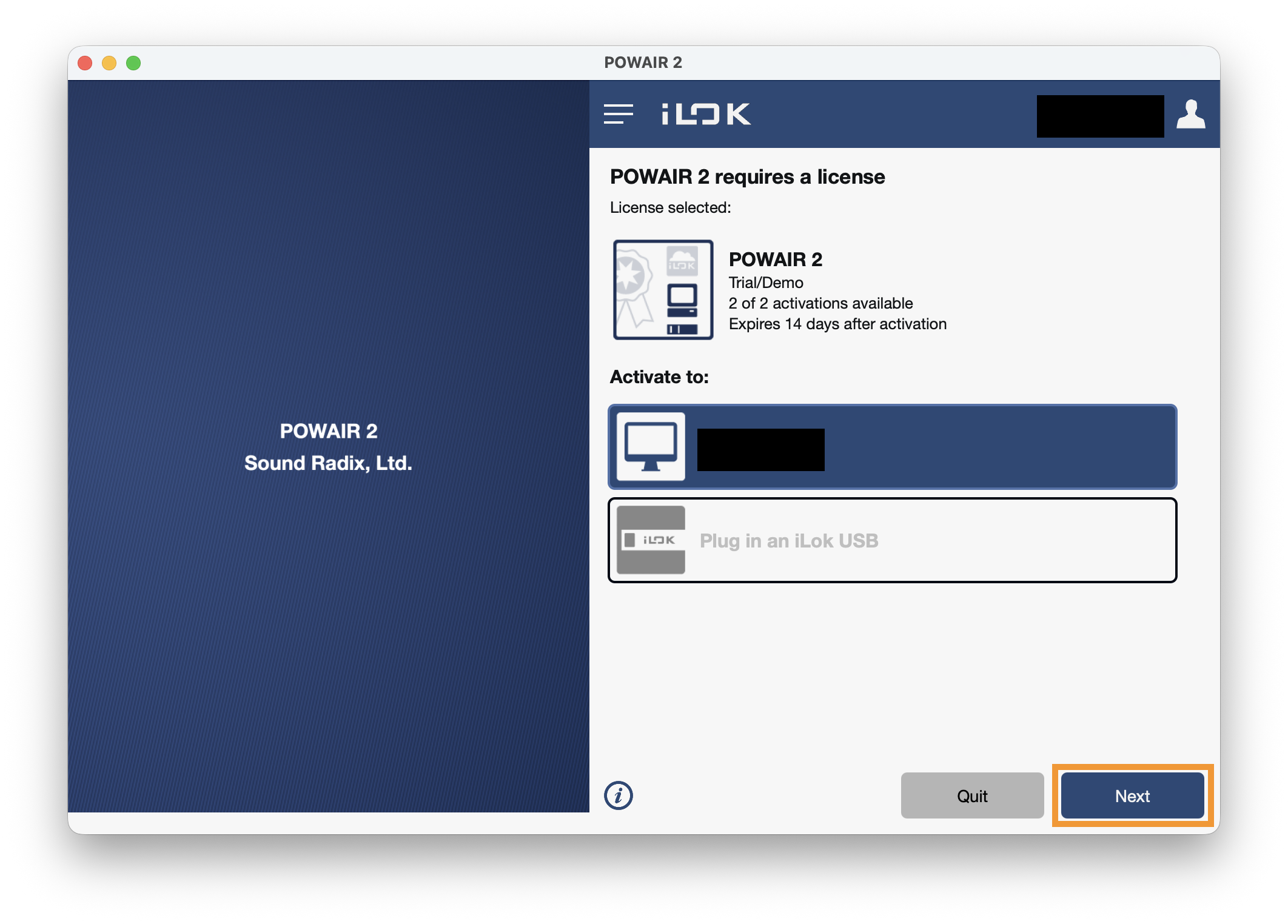
The iLok activation software will notify you of successful activation. The newly installed plug-in will now appear in your DAW's plug-ins menu.
Was this article helpful?
That’s Great!
Thank you for your feedback
Sorry! We couldn't be helpful
Thank you for your feedback
Feedback sent
We appreciate your effort and will try to fix the article